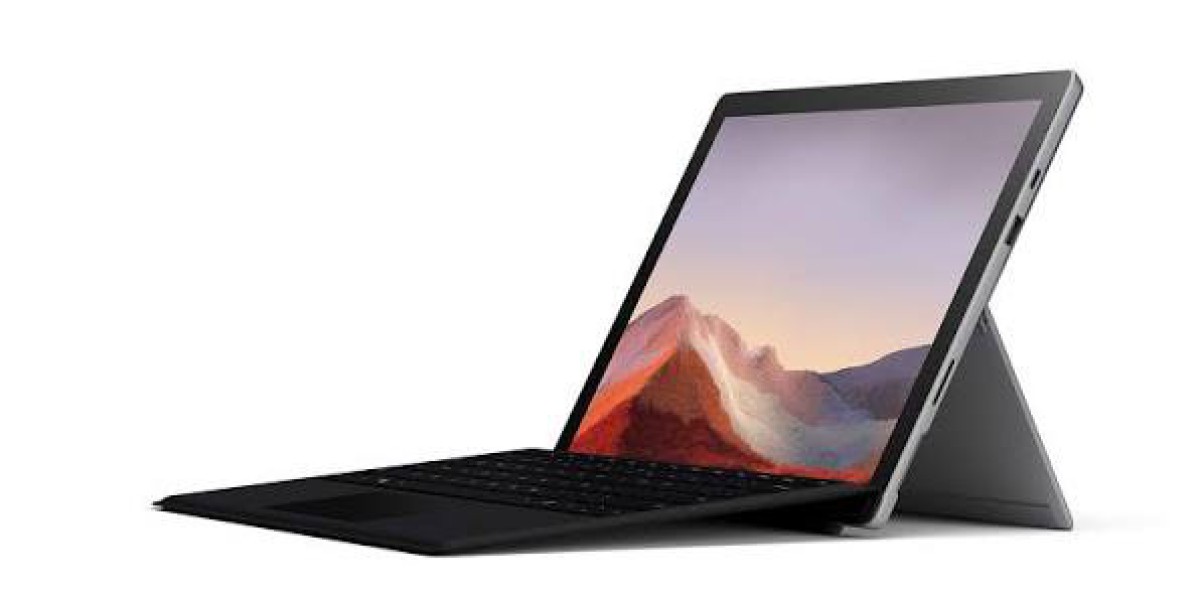

Introduction
The Microsoft Surface Pro has spent over a decade trying to prove that a tablet can genuinely replace a laptop. With the 2026 refresh (the 12th Edition), Microsoft is leaning harder than ever into that promise pairing a new Snapdragon X2 platform with a faster NPU, an available OLED display, and a redesigned Slim Pen with haptic feedback.
But 2026 also brought a hard truth: this generation of Surface Pro isn't cheap. In this guide, you'll learn exactly what changed, who this device is actually built for, and how it compares to two very different machines that keep coming up in buyer research the workstation-class Lenovo ThinkPad P16 Gen 2 and the ultra-portable Samsung Galaxy Book5 Pro. By the end, you'll know whether the new Surface Pro deserves a spot in your bag, your workshop, or neither.
What's New in the Microsoft Surface Pro 2026 (12th Edition)
Microsoft split its 2026 hardware refresh into two waves. The business-focused Surface Pro launched first in May 2026 with Intel's new Core Ultra Series 3 chips, though the overall design stayed largely the same as the previous generation, with the Surface Slim Pen updated to support Windows 11's new haptic feedback system. The consumer-ready Snapdragon X2 version followed in June 2026.
Performance and AI Power
The headline upgrade is the new 12-core Snapdragon X2 Elite chip, which delivers up to 50% more overall performance than the Snapdragon X Elite found in the previous Surface Pro, a chip that already outperformed Apple's M4 in most popular benchmarks. On the AI side, the Hexagon NPU inside the new Surface Pro delivers 80 TOPS of AI processing power, a massive jump from the 45 TOPS supported by the previous 13-inch model, meaning on-device AI features like Copilot, live captions, and image generation run noticeably faster.
For buyers who prefer Intel, the business edition runs on Intel Core Ultra 5 or X7 (Series 3) chips with Intel AI Boost delivering 50 TOPS, and it supports optional 5G, Wi-Fi 7, a removable Gen 4 SSD, and a 2880 x 1920 display with an optional OLED panel.
Display
For the first time, the Surface Pro offers an OLED display option on higher-end configurations. Independent testing of the Intel-based model confirms a sharp 13-inch 3:2 IPS touchscreen with 2880 x 1920 resolution, 120 Hz refresh rate, pen support, and Gorilla Glass 5 protection.
Battery Life
The Surface Pro 2026 delivers up to 15.5 hours of local video playback, more than 10% longer than the previous generation.
Pricing The Elephant in the Room
This is where the 2026 Surface Pro gets controversial. The new Surface Pro starts at $1,499 for the base configuration, a significant increase from the previous generation's $999 starting price, which Microsoft has attributed to ongoing memory and component shortages affecting the entire industry. The business edition costs even more: the new Surface Pro for Business 13-inch starts at $1,949.99 (MSRP). Both the flagship Surface Pro and Surface Laptop now start at that eye-watering price point for an Intel Core Ultra 5 with 16GB of RAM, and while Microsoft frames it as a component-shortage issue, it's a tough pill to swallow for longtime Surface fans.
Real-World Reception
Reviewers have generally praised the execution while flagging the price. One review summed it up this way: critics rate the device positively overall, praising its design, display quality, portability, and business-oriented features such as 5G, Wi-Fi 7, Thunderbolt 4, and USB4, while noting its high price and limited appeal for users who need sustained CPU or GPU power. Another reviewer framed the positioning shift directly, noting that Microsoft has essentially handed the "power" role to the Surface Laptop line, leaving the Surface Pro best suited to mobile professionals in client-facing roles rather than users who need heavy creative horsepower.
Who Should Actually Buy the Surface Pro 2026?
The Surface Pro isn't trying to be a workstation, and it isn't trying to be the cheapest ultraportable on the shelf either. It's aimed at:
Mobile professionals who present, take notes, and travel between meetings
Students who want inking and tablet mode for lecture notes
Creatives who sketch or annotate but don't need a dedicated GPU
Field workers who benefit from optional 5G and all-day battery
If your workload involves 3D rendering, CAD, or heavy video export, the Surface Pro isn't built for that and that's exactly where a machine like the Lenovo ThinkPad P16 Gen 2 comes in.
Case Study: Surface Pro vs. Lenovo ThinkPad P16 Gen 2
The Lenovo ThinkPad P16 Gen 2 sits at the opposite end of the spectrum from the Surface Pro. It's a full-blown 16-inch mobile workstation, not a 2-in-1 tablet, and it's built for an entirely different kind of user.
Specs at a glance:
Processor: 13th and 14th Gen Intel Core HX chips, up to the Core i9-13980HX
Graphics: Nvidia RTX 1000 Ada up to RTX 5000 Ada
Memory: Up to 192GB of RAM, with room for two storage drives
Display: A 16-inch panel ranging from FHD+ to 4K+, with an optional 165Hz QHD+ option
Weight and build: A 6.5-pound chassis that's noticeably larger and heavier than typical ultraportables, with a maximum thickness of 1.2 inches
Where it wins: Raw performance. One review noted the 130W TGP graphics option makes this one of the fastest 16-inch workstations in Lenovo's portfolio, and benchmarking confirmed the ThinkPad P16 Gen 2 demonstrated clear superiority in GPU-heavy workloads like 3D rendering compared to rival HP models.
Where it loses: Everything about portability. Battery life is very short, lasting just a few hours at most, and under demanding tasks, the battery drains quickly since the machine is happiest when plugged into a wall.
The verdict: If you're choosing between the Surface Pro and the ThinkPad P16 Gen 2, you're not really comparing two versions of the same product you're choosing between portability-first computing and desktop-replacement power. Engineers, 3D artists, and CAD professionals should look at the ThinkPad. Everyone else will find the Surface Pro's form factor far more practical day to day.

Where the Samsung Galaxy Book5 Pro Fits In
A third option worth knowing about is the Samsung Galaxy Book5 Pro, which occupies a middle ground between a traditional clamshell laptop and a tablet or a workstation, built around Intel's efficiency-focused Lunar Lake chips.
The Galaxy Book5 Pro includes a power-efficient Intel Core Ultra Series 2 (Lunar Lake) processor that delivers snappy desktop performance with very low power usage, though its eight-core design isn't optimized for high-end multithreaded workloads. Battery life is a genuine standout: in PCWorld's testing, the Galaxy Book5 Pro lasted 23 hours and 15 minutes in a standard battery benchmark, nearly a full day of battery life.
On the display front, the reviewed configuration paired the Core Ultra 7 256V with an Intel Arc 140V GPU, 16GB of RAM, a 1TB SSD, and a 16-inch 2880 x 1800 AMOLED touchscreen. Pricing is broadly comparable to the Surface Pro's higher configurations: the base model starts at $1,350 for a 14-inch touchscreen with a Core Ultra 7 256V, 16GB of soldered RAM, and 512GB of storage, or $1,450 for the 16-inch version.
Reviewers see it as a strong all-rounder rather than a specialist tool: there's a lot to love, including an outstanding AMOLED touchscreen and a delightfully light 3.44-pound chassis for a 16-inch laptop, though middling performance and a weak webcam keep it from fully earning its premium price tag.
Surface Pro 2026 vs. ThinkPad P16 Gen 2 vs. Galaxy Book5 Pro
Feature | Surface Pro 2026 | ThinkPad P16 Gen 2 | Galaxy Book5 Pro |
Form factor | 2-in-1 tablet | 16" mobile workstation | Traditional clamshell |
Best for | Mobile professionals, students | Engineers, 3D artists | All-day productivity users |
Starting price | ~$1,499–$1,949 | ~$1,850–$2,619+ | ~$1,350–$1,450 |
Battery life | Up to 15.5 hours | A few hours under load | Up to ~23 hours |
Standout feature | Pen input, optional OLED, on-device AI | Workstation-class GPU power | All-day battery, AMOLED display |
Pros and Cons of the Microsoft Surface Pro 2026
Pros:
Major jump in NPU performance for on-device AI tasks
New OLED display option on higher-end configurations
Genuine 2-in-1 flexibility with pen and touch input
Strong battery life for a tablet-first device
Wi-Fi 7 and optional 5G connectivity
Cons:
Steep price increase over the previous generation
Not designed for sustained heavy CPU or GPU workloads
Keyboard and pen are often sold separately
Limited appeal for creative professionals needing serious horsepower
Frequently Asked Questions
Is the Microsoft Surface Pro 2026 worth the higher price? It depends on your workload. If you value pen input, tablet flexibility, and on-device AI performance, the improvements are real. If you're simply comparing raw value against last year's model, the roughly $500 price jump is a legitimate sticking point.
Can the Surface Pro replace a workstation like the ThinkPad P16 Gen 2? No. The Surface Pro is built for portability and everyday productivity, not sustained rendering or CAD work. For that, the ThinkPad P16 Gen 2's dedicated Nvidia RTX Ada graphics are the better fit.
How does the Surface Pro compare to the Samsung Galaxy Book5 Pro on battery life? The Galaxy Book5 Pro generally lasts longer in real-world testing, but the Surface Pro's 2-in-1 design and pen support offer flexibility that a traditional clamshell like the Galaxy Book5 Pro doesn't provide.
Does the Surface Pro 2026 support 5G? Yes, 5G is available as an option on select configurations, particularly on the business-focused models.
Which is better for students Surface Pro or Galaxy Book5 Pro? Students who want to hand-write notes and sketch will lean toward the Surface Pro's pen and tablet mode. Students who prioritize battery life and a traditional laptop experience may prefer the Galaxy Book5 Pro.
Final Verdict
The Microsoft Surface Pro 2026 is a genuinely improved machine faster, smarter about AI, and available with a gorgeous OLED display for the first time. But it's also a pricier one, and Microsoft has clearly repositioned it as a tool for mobile professionals rather than a jack-of-all-trades power machine. If your work leans toward heavy rendering or CAD, the Lenovo ThinkPad P16 Gen 2 is the more sensible investment. If all-day battery life and a traditional laptop feel matter more to you, the Samsung Galaxy Book5 Pro is worth a serious look.
What's your take? Are you upgrading to the new Surface Pro, or does the price hike have you eyeing the competition? Drop a comment below, share this article with a friend who's laptop shopping, and let us know which device made your shortlist.






