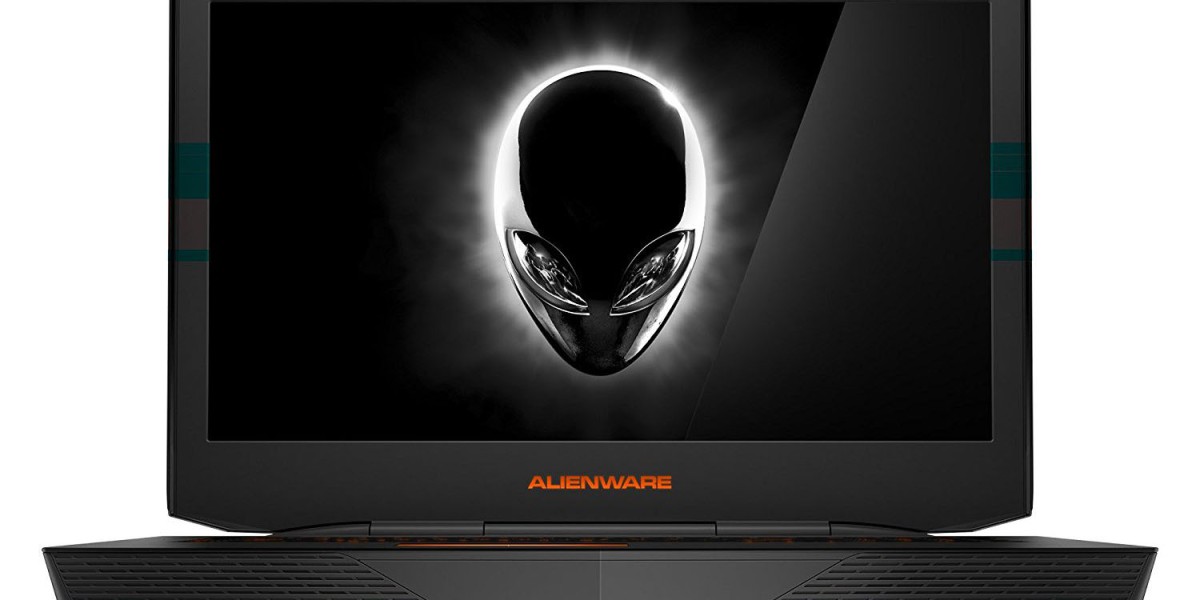

Introduction: Why the Dell Alienware 18 Is Turning Heads Again
The name "Alienware 18" carries a lot of history. Dell first used it over a decade ago for a hulking, SLI-powered gaming rig, and now the badge is back this time attached to the Alienware 18 Area-51, a laptop built around Intel's latest Core Ultra silicon and NVIDIA's RTX 50-series graphics. If you've been searching for a machine that treats "portable" as a loose suggestion and "powerful" as a hard requirement, this is the laptop most people mean when they type "Dell Alienware 18" into Google.
In this guide, you'll learn what's actually inside the modern Alienware 18, how it performs for gaming and creative work, where it falls short, and how it stacks up against a very different kind of machine the Microsoft Surface Pro and Surface Laptop for readers who are choosing between raw power and everyday portability. By the end, you'll know exactly who this laptop is for, and who should look elsewhere.
What Is the Dell Alienware 18 Area-51?
The current Alienware 18 Area-51 is Dell's flagship 18-inch gaming laptop, designed to bring desktop-level performance into a chassis you can (with effort) carry between rooms. It's aimed squarely at gamers, streamers, and creators who need serious GPU horsepower and don't want to compromise on screen size.
Core Specifications
At the top of the range, the Alienware 18 Area-51 is configured with:
Processor: Intel Core Ultra 9 275HX, a 24-core chip built for sustained, high-wattage performance
Graphics: NVIDIA GeForce RTX 5090 laptop GPU with 24GB of GDDR7 memory, supporting real-time ray tracing and DLSS 4
Display: 18-inch WQXGA panel (2560 x 1600) running at a 300Hz refresh rate, 500 nits brightness, 100% DCI-P3 color coverage, and NVIDIA G-SYNC
Memory: Up to 64GB of RAM
Storage: Up to 2TB of M.2 NVMe SSD storage
Connectivity: 2.5GbE wired LAN, Wi-Fi 7, Bluetooth 5.4, and dual Thunderbolt 4 ports on higher-tier configurations
Cooling: Alienware's "Cryo-Chamber" thermal design, which pulls air through the base of the laptop to support a power ceiling of up to 280W total graphics power
This is not a subtle machine. It's built to compete with and in many workloads outperform a desktop gaming PC, while still folding shut and coming with you.
Design and Build Quality
Alienware laptops have always leaned into a distinctive look, and the 18 is no exception. Expect a dark metallic "Moon" finish, programmable AlienFX RGB lighting across multiple zones with access to millions of color combinations, and a keyboard with per-key RGB backlighting and N-key rollover for competitive gaming.
Given the internals, don't expect this to feel like an ultrabook. Reviewers and buyers frequently note that the Alienware 18 is heavy and runs its fans loud under full load a natural trade-off for a laptop pushing near-desktop wattage through a mobile chassis. A smaller portion of owners have also reported occasional issues with battery charging behavior, keyboard reliability, and minor backlight bleed, though the majority of feedback centers on the machine's exceptional gaming and creative performance and effective cooling.
Performance: Gaming, Creative Work, and AI Tasks
Gaming
With an RTX 5090 GPU and a 300Hz QHD+ display, the Alienware 18 is built to run modern AAA titles at high settings with ray tracing enabled, while still hitting frame rates that take advantage of that fast panel. For competitive esports titles, the combination of a high refresh rate and G-SYNC support helps keep gameplay smooth and tear-free.
Creative and Professional Work
The same GPU and CPU combination that powers gaming also accelerates video editing, 3D rendering, and other GPU-intensive creative workloads. Paired with up to 64GB of RAM, the Alienware 18 can comfortably handle multitasking across editing suites, virtual machines, and background rendering jobs.
AI and Local Compute
NVIDIA's RTX 50-series architecture includes dedicated AI acceleration hardware, which means the Alienware 18 can also handle local AI inference tasks a growing use case as more creative and productivity software adds AI-powered features that run directly on-device rather than in the cloud.
Real-World Feedback: What Owners Are Saying
Customer feedback on the Alienware 18 Area-51 is broadly positive on the metrics that matter most for its target audience. Owners consistently praise the desktop-class performance, the sharp 18-inch 300Hz screen, and the amount of RAM and GPU power available even in the past two years of reviews. The most common criticisms are ones you'd expect from any laptop in this performance class: it's heavy, the fans get loud under sustained load, and a minority of units have experienced hardware quirks like charging glitches or keyboard faults.
If you've used a high-performance desktop replacement laptop before, none of this will be surprising it's the expected trade-off for cramming desktop-tier components into a laptop shell.

Dell Alienware 18 vs. Microsoft Surface Pro: Two Very Different Machines
It might seem like an odd comparison, but a lot of shoppers researching high-end laptops end up cross-referencing the Alienware 18 against Microsoft's Surface lineup because they represent two completely different philosophies of what a "premium laptop" should be.
The Microsoft Surface Pro (12th Edition) is a 2-in-1 tablet-laptop hybrid built around Snapdragon X2 processors, with a detachable keyboard, a 165-degree kickstand, and an emphasis on portability and all-day battery life. Depending on configuration, it offers an OLED display and up to 15.5 hours of battery life, with graphics performance up to roughly 53% faster than the previous generation impressive for its class, but nowhere near what a dedicated gaming GPU delivers.
The Microsoft Surface Laptop, meanwhile, is Microsoft's more traditional clamshell design, available in 13.8-inch and 15-inch sizes, also powered by Snapdragon X2 chips, with battery life stretching up to 20 hours on the smaller model. Both Surface devices now include haptic touchpads and ship with Affinity's creative apps pinned to the Start menu, positioning them as productivity- and creativity-first machines rather than gaming rigs.
Here's the practical difference:
Feature | Dell Alienware 18 | Microsoft Surface Pro / Laptop |
Primary use case | Gaming, GPU-heavy creative work | Portability, productivity, note-taking, light creative work |
Graphics | NVIDIA RTX 5090 (24GB GDDR7) | Integrated Snapdragon X2 graphics |
Display | 18", 300Hz, WQXGA | 13" or 13.8"/15", touchscreen, optional OLED |
Battery life | Hours, not all-day (high-performance draw) | Up to ~15.5–20 hours |
Weight | Around 5.8 kg (12.85 lbs) | Under 1.5 kg (tablet or laptop form) |
Form factor | Traditional gaming laptop | 2-in-1 tablet or ultraportable clamshell |
If your priority is frame rates, ray tracing, and a desktop-class GPU you can close and carry, the Alienware 18 wins outright. If you want something you can hold like a tablet, sketch on with a pen, and use all day on a single charge, the Surface Pro (or its sibling, the Surface Laptop) is the far better fit. These aren't really competitors they're built for different jobs.
Pros and Cons of the Dell Alienware 18
Pros:
Desktop-class RTX 5090 graphics in a laptop form factor
Sharp, fast 18-inch 300Hz display with strong color coverage
Up to 64GB RAM and 2TB of fast NVMe storage
Effective Cryo-Chamber cooling that supports high sustained wattage
Distinctive design with extensive RGB customization
Cons:
Heavy and bulky compared to standard laptops not built for daily carrying
Fan noise can get loud under full gaming or rendering load
Battery life is limited when running demanding workloads, as with most high-performance gaming laptops
Premium pricing reflects its flagship, top-tier components
A minority of buyers report hardware issues like charging or keyboard faults
Frequently Asked Questions
Is the Dell Alienware 18 good for gaming in 2026? Yes. With an RTX 5090 GPU, a Core Ultra 9 processor, and a 300Hz display, it's built specifically for high-end gaming at high settings and high frame rates.
How much does the Alienware 18 Area-51 weigh? The current model weighs approximately 5.83 kg (12.85 lbs) with a standard battery configuration, making it one of the heavier laptops on the market expected for its component class.
Can the Alienware 18 be used for video editing or 3D rendering? Yes. The combination of a high-core-count CPU, RTX 5090 graphics, and up to 64GB of RAM makes it well-suited for video editing, 3D rendering, and other GPU-accelerated creative workloads.
How does the Dell Alienware 18 compare to the Microsoft Surface Pro? They serve different purposes. The Alienware 18 is a gaming and creative powerhouse with dedicated graphics, while the Surface Pro is a lightweight, battery-efficient 2-in-1 designed for portability, note-taking, and everyday productivity rather than gaming.
What ports does the Alienware 18 include? Configurations typically include 2.5GbE Ethernet, Wi-Fi 7, Bluetooth 5.4, USB Type-A ports, and Thunderbolt 4 (on configurations with RTX 5070 graphics or below).
Conclusion: Who Should Buy the Dell Alienware 18?
The Dell Alienware 18 Area-51 is built for one core mission: maximum gaming and creative performance in a laptop chassis, no meaningful compromises on power. If you're a serious gamer, streamer, or creative professional who needs RTX 5090-class graphics and a fast, spacious display and you're not worried about carrying a lighter machine this is one of the most capable gaming laptops available right now.
On the other hand, if portability, all-day battery life, and a lightweight 2-in-1 design matter more to you than raw GPU power, a Microsoft Surface Pro or Surface Laptop will likely serve you better.
Which matters more to you raw performance or portability? Drop a comment below with your use case, and share this guide with anyone weighing a high-end gaming laptop against a Surface device. If you found this breakdown useful, consider subscribing for more in-depth laptop comparisons and buying guides.






