
Introduction
If you've been shopping for a creator-grade Windows laptop in 2026, chances are the Lenovo Yoga Pro 9i has already crossed your radar. It's one of the few Windows machines built specifically to compete with the MacBook Pro on looks, display quality, and raw horsepower while still running the apps, games, and peripherals that only Windows supports well.
In this guide, you'll learn exactly what the 2026 Yoga Pro 9i offers, how its display and performance hold up in real-world use, where it falls short, and how it compares to a close rival, the Dell 16 Premium Laptop. We'll also touch on how it fits into the broader premium-laptop landscape, including more compact alternatives like the Dell XPS 13 9350, for readers who might actually want something smaller. By the end, you'll know whether the Yoga Pro 9i deserves a spot on your shortlist.
What Is the Lenovo Yoga Pro 9i?
The Yoga Pro 9i line started in 2023 as Lenovo's answer to a specific gap in the market: buyers who wanted MacBook Pro-level build quality and display fidelity, but weren't willing to give up Windows. Since then, the series has evolved rapidly moving from mini-LED displays to Tandem OLED panels, and from Meteor Lake chips to Intel's newest Panther Lake silicon.
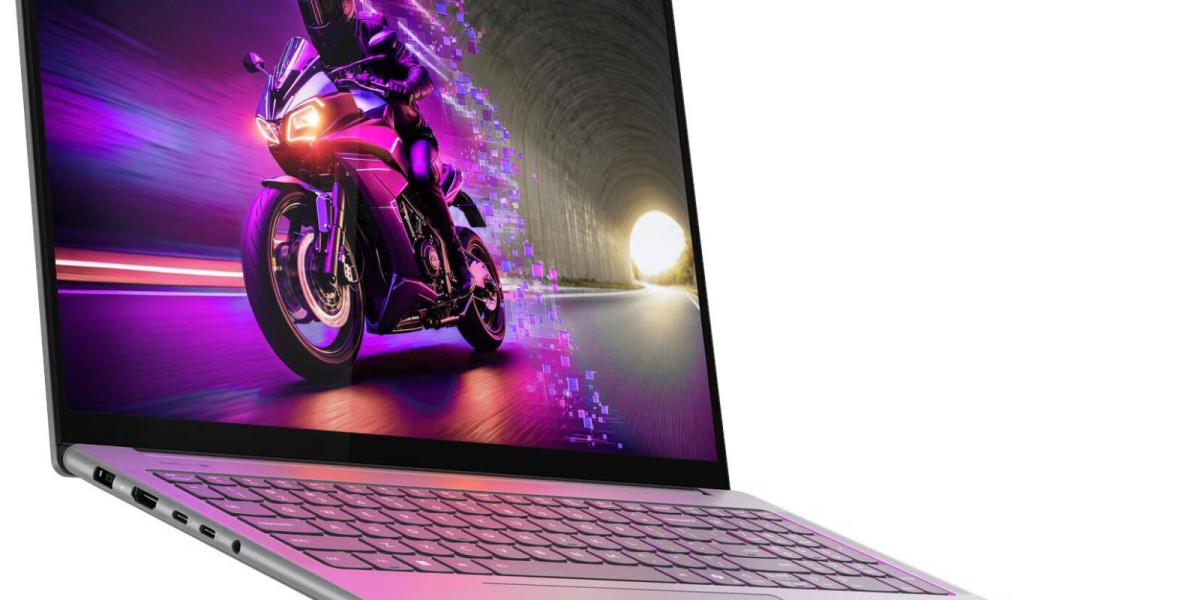
The 2026 (Gen 11) refresh is the most refined version yet. It's slightly smaller and lighter than its predecessor, measuring roughly 361 x 248 x 17.2mm and starting at about 1.8kg, while somehow fitting a larger battery into the tighter chassis. It keeps the same premium all-metal design language Lenovo has used for several generations, available in a Thunder Gray finish with rounded, polished edges that make it feel more like a design object than a workhorse.
Key Specifications
Processor: Intel Core Ultra 9 (Panther Lake Series 3), 16-core hybrid architecture
Graphics: NVIDIA RTX 5000-series GPU (mid-tier, up to RTX 5060/5070 class configurations)
Display: 16-inch 3.2K Tandem OLED, 120Hz, up to 1600 nits peak brightness
Memory: Up to 32GB LPDDR5x, soldered
Storage: Up to 1TB PCIe 4.0 NVMe SSD
Price range: Roughly $1,870 for base configurations, climbing past $2,199 for the top Tandem OLED tier
Design and Build Quality
Lenovo hasn't reinvented the wheel here, and that's mostly a good thing. The Yoga Pro 9i keeps its CNC-machined metal chassis, tight tolerances, and understated aesthetic. The 2026 model's biggest structural change is the removal of the numeric keypad, which centers the keyboard and trackpad under your hands a genuine ergonomic win for anyone who types for a living, even if spreadsheet-heavy users will miss the numpad.
The trackpad has also been repositioned to sit more centrally on the chassis compared to earlier generations, a small but noticeable improvement in day-to-day usability.
Not everything is perfect. Reviewers have consistently flagged two recurring annoyances across recent Yoga Pro 9i generations: a proprietary charging plug (rather than full USB-C charging support), and, on some configurations, the absence of a fingerprint reader. Keyboard backlight bleed is another minor but noticeable flaw light spills around the edges of the keycaps, which is a strange oversight on a laptop in this price bracket.
Display: The Yoga Pro 9i's Biggest Strength
This is where the Yoga Pro 9i genuinely separates itself from most Windows competitors. The 2026 model's 3.2K Tandem OLED panel doubles up the light-emitting layers to hit peak brightness levels around 1600 nits, while still delivering the perfect blacks and wide color gamut OLED is known for. Earlier generations used a 2.8K OLED or mini-LED panel with brightness closer to 1100–1200 nits still excellent, but a clear step below the newest Tandem OLED implementation.
For video editors, photographers, and anyone doing color-critical work, this display alone can justify the price premium. It's bright enough for HDR content creation and accurate enough for professional color grading, all wrapped in a 120Hz refresh rate that keeps everyday scrolling and creative work feeling fluid.







